Employers and Clients cannot hire you on Fameidols without a Gig. The first step we’ll focus on is creating your gig. This acts as your showcase on Fameidols and helps employers, casting directors, and collaborators understand what you offer. You don’t need to overthink it — a clear and simple gig is enough to get started, and you can improve it anytime.
Creating a GIG for yourself on Fameidols, is very simple. Simply follow the arrows and instructions to get started
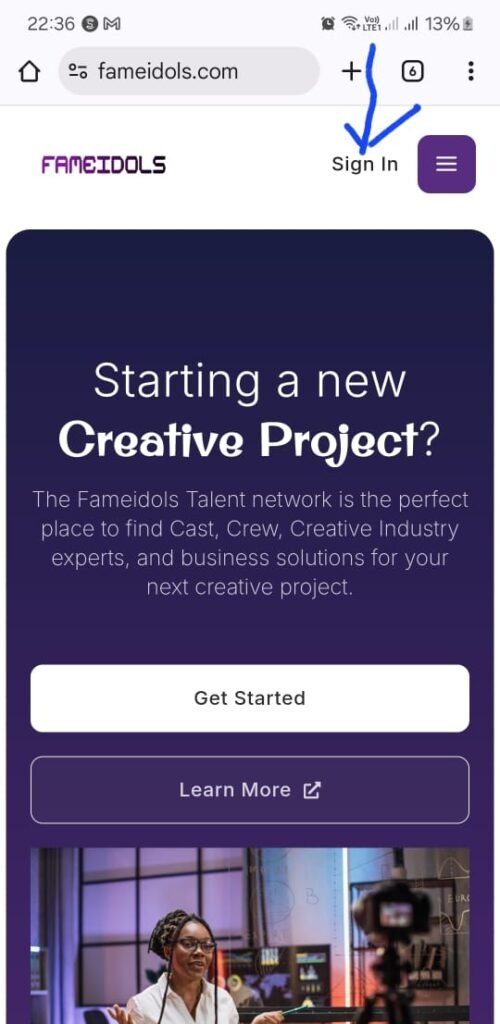
Step 1 - Tap on the Sign in button
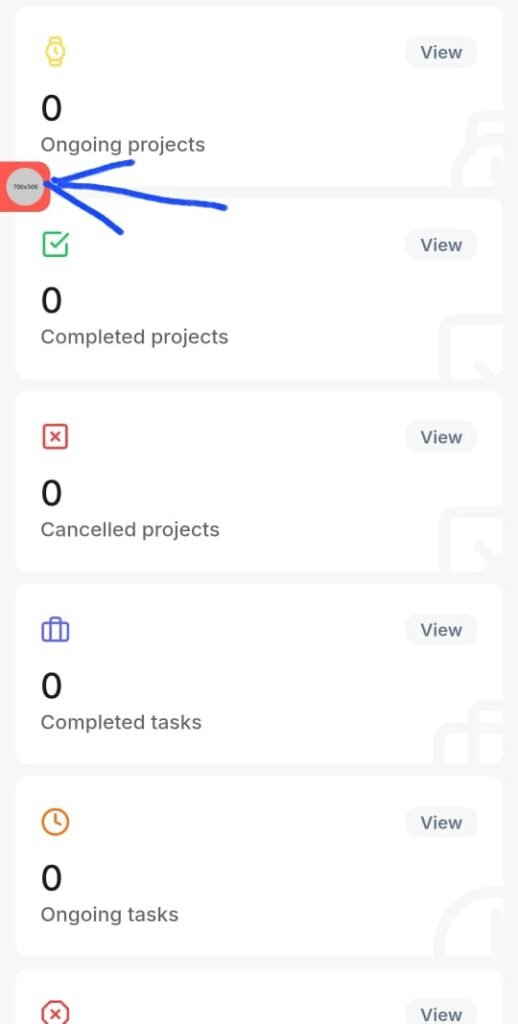
Step 2 - Tap on the Orange button
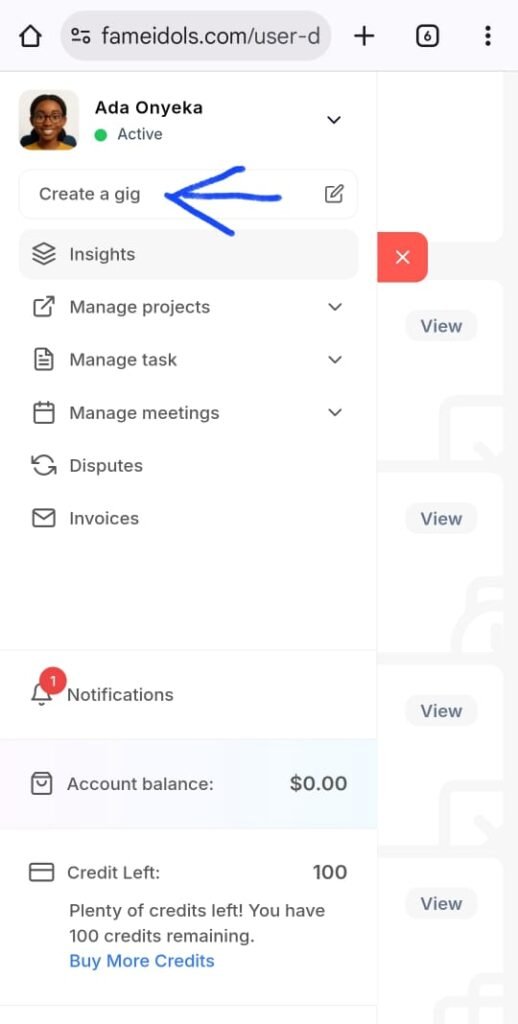
Step 3 - Click on Create a gig
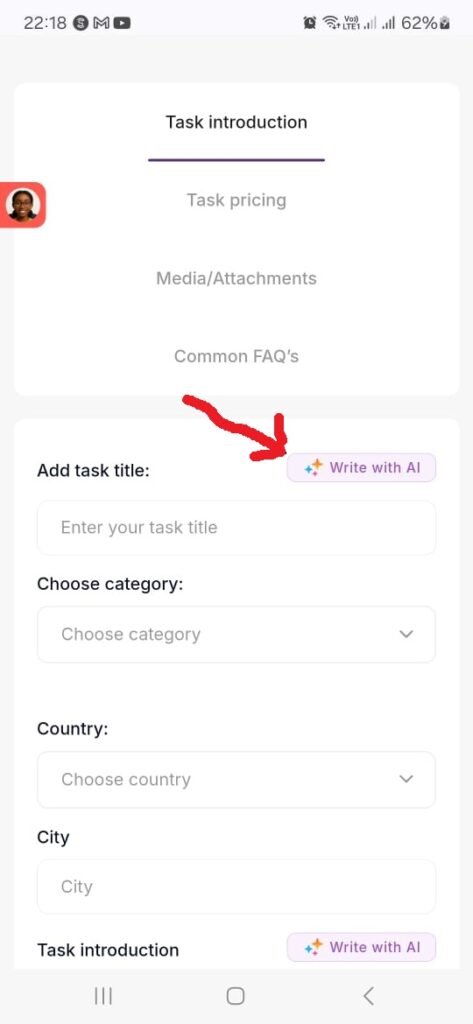
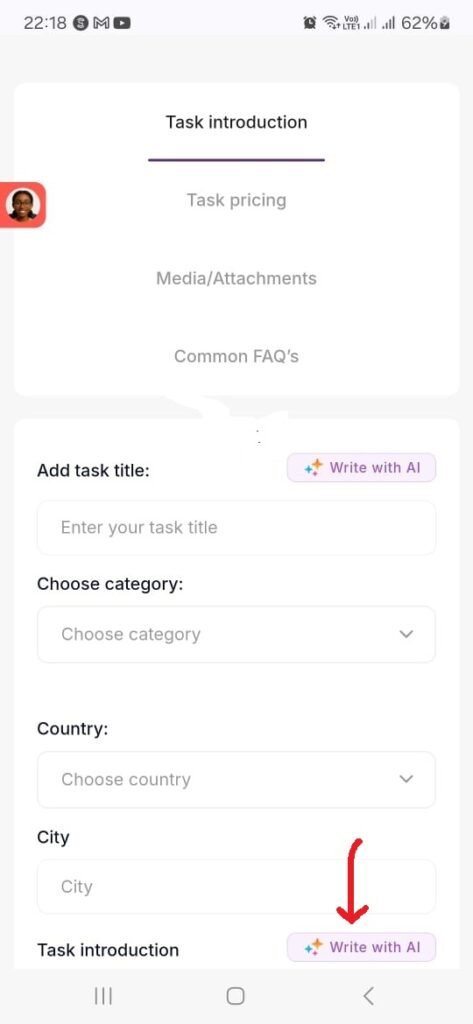
STEP 4 - Tap on 'Write with AI' to create a Title for your Gig , using the AI prompt below
Use the template below to create a title for your gig. Change the words in bracket to yours. Tap the AI button and Post it into the AI form. Remember to remove the “..” when it creates it for you. It will give you 3 results , select one from the 3
COPY & EDIT THIS AI PROMPT:
Create 3 professional, attention-grabbing gig titles for a [YOUR SKILL/ROLE] on Fameidols.
I help [WHO YOU SERVE] with [WHAT YOU DO].
My experience level is [BEGINNER / INTERMEDIATE / PROFESSIONAL].
The tone should be [FRIENDLY / CONFIDENT / PROFESSIONAL].
Start the sentence with “Hire me” or “I Will”
STEP 5 - Tap on 'Write with AI' to write an introduction about your Gig, using the AI prompt below
CATEGORIES : Select categories up to 3 levels deep. This makes it easier for employers to find you
COUNTRY: Select the country where you are based and delivering your service from. Include your state and city.
TASK INTRODUCTION: This is a decription of what your gig offers. Not sure what to write? No worries. Use the templaate below to create a description for your gig. Repeat this as you did in step 4.
Click ‘SAVE & UPDATE’.
COPY & EDIT THIS AI PROMPT:
Write a clear, professional gig description for a Fameidols user offering [YOUR SERVICE / SKILL].
This gig is for [WHO THE CLIENT IS].
I will help them with [WHAT YOU WILL DO FOR YOUR CLIENTS WHO HIRE THIS GIG].
My experience level is [BEGINNER / INTERMEDIATE / PROFESSIONAL].
The tone should be [FRIENDLY / CONFIDENT / PROFESSIONAL].
Keep it simple, honest, and attractive.
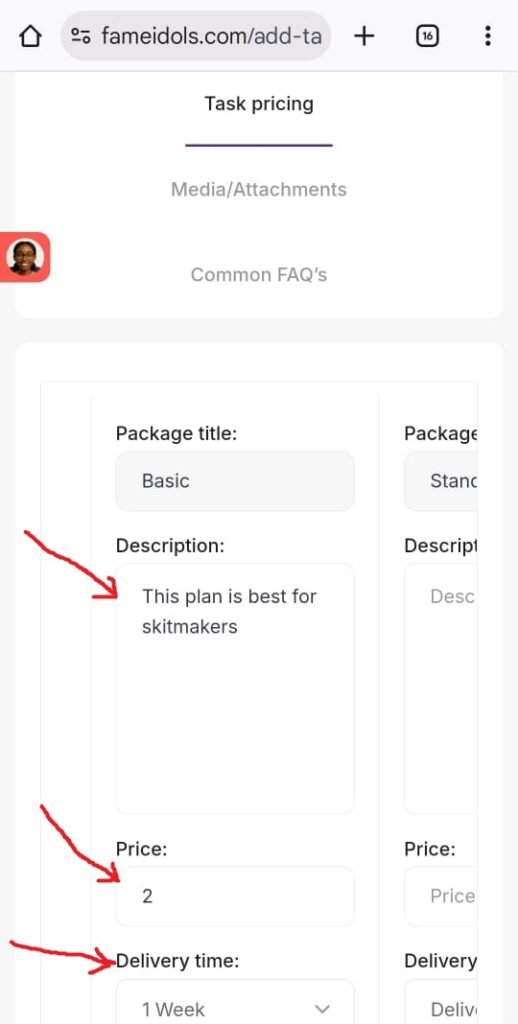
STEP 6 - Add a price you will charge for your service and time for delivery. Pricing is in USD
Description is to tell the client/employer who this gig is suitable for, e.g, ‘This gig is for skit makers‘
PRICE : How much will you charge for this service, in USD
DELIVERY TIME: Is your price per day or week, or how long will it take to deliver the service?
You can create up to 3 different packages. Give your clients options.
Click ‘SAVE & UPDATE’.
STEP 7- ADD A PHOTO
Adding a high-quality photo to your gig is essential for creating a strong first impression and increasing your chances of getting hired on Fameidols.
Your photo is often the first thing people notice before reading your description. A clear, professional image builds trust, credibility, and confidence, helping potential clients quickly understand who you are, what you offer, or what they will receive. Gigs with strong visuals attract more clicks, longer views, and higher engagement than those without images.
What your photo should show
Upload one clear, professional image with a 16:9 (landscape) ratio and a maximum size of 3MB.
Show yourself, your business, or your product clearly
Choose an image that immediately communicates what you do.
Match your creative field
Actors: A clean headshot or expressive portrait with good lighting.
Models: A natural pose that shows confidence, posture, and personality.
Rentals: A clear photo of the equipment, space, or item being offered.
Talent coaches: A professional photo that reflects trust and authority.
Other creatives: An image of your work, tools, or creative process.
Keep it clean and professional
Use good lighting, a simple background, and avoid heavy filters or clutter.
Focus on clarity, not effects
The subject should be sharp, well-framed, and easy to understand at a glance.
You don’t need a studio shoot — just make sure your image is clear, honest, and professional. A strong photo helps clients connect instantly and makes your gig look polished and trustworthy.
STEP 8 - ADD A VIDEO
Adding a video introduction to your gig is one of the fastest ways to stand out, build trust, and get hired faster on Fameidols.
People don’t just hire skills — they hire confidence, personality, and professionalism. A short video helps potential clients see the real you, understand how you communicate, and feel confident choosing you over others with only text and images. Gigs with video intros often get more views, higher engagement, and better conversion because buyers connect emotionally before they even send a message.
What your video should include
Keep it short (30–90 seconds), clear, and authentic.
Introduce yourself
- Say your name, what you do, and who your service is for.
- Show your value. Explain what makes you different and the kind of results clients can expect.
- Demonstrate relevance to your niche
Actors: Perform a short monologue, expression range, or speak about your acting style.
Models: Show confidence on camera, posture, poses, or past campaign highlights.
Rentals: Show the equipment, condition, setup, and how clients can use it.
Talent coaches: Explain your coaching approach, experience, and outcomes.
Other creatives: Briefly show your process, tools, or past work samples.
End with a clear call to action
Invite viewers to message you, book your service, or ask questions.
You don’t need a perfect studio setup — good lighting, clear audio, and confidence are enough. A genuine video can be the difference between being seen and being hired.
Leave your comment